What Is Scope360 and How It Works
You have three tabs open: Binance for your futures positions, Bybit for your spot holds, and a spreadsheet you haven't updated since Tuesday. You think you're up this month, but you aren't sure if that's because your strategy is working or just because Ethereum pumped over the weekend.
This is the reality for most traders. We have professional-grade charts and lightning-fast execution, but our back-office is stuck in the 1990s. We rely on fragmented screenshots, CSV files, and faulty memory.
This is where Scope360 comes in.
In this guide, you’ll understand exactly what Scope360 is, how it automates the "boring" side of trading, and why it is the logical next step for anyone ready to treat their trading like a business, not a hobby.
The Problem Scope360 Was Built To Solve
Trading has evolved, but journaling hasn't.
If you are a modern trader, you likely operate in a fragmented environment:
Multiple Venues: You trade Crypto Futures for volatility, Spot for long-term holds, and maybe Forex via MetaTrader for prop challenges.
Data Overload: A manual spreadsheet cannot handle high-frequency scalping or grid bot executions without becoming a full-time data entry job.
Blind Spots: You see your balance fluctuate, but you lack the granular data to know why. Is it fees? Is it "revenge trading" on Fridays? Is it a specific pair dragging you down?
Without a unified system, you are flying blind. You have P&L, but you don't have intelligence.
What Is Scope360?
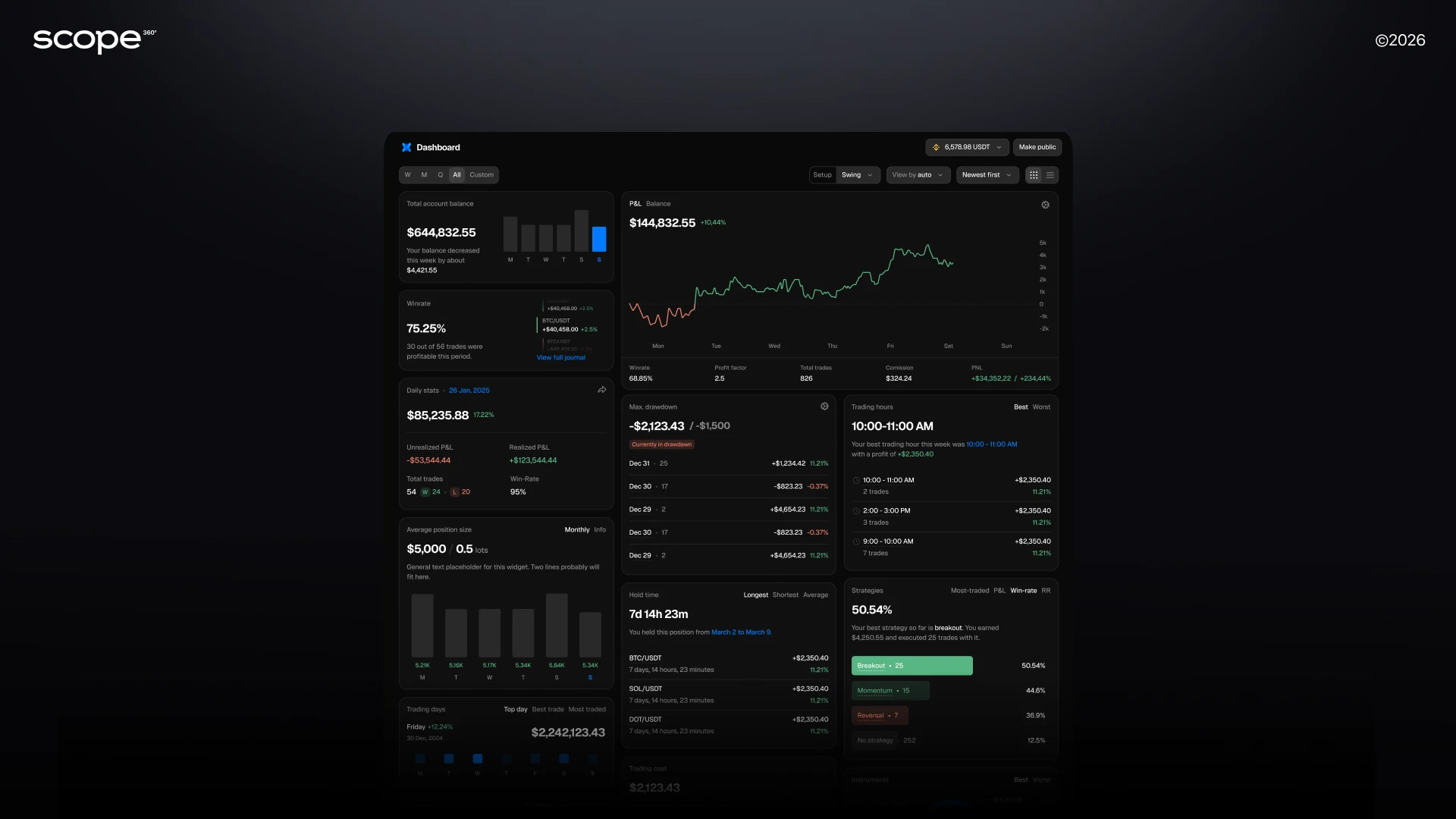
Scope360° is an automated trading journal and analytics platform that syncs your trade history via API, organizes your data across all exchanges and reveals the behavioral patterns behind your results.
It is not a signal service, and it doesn't trade for you. Think of it as an automated Chief Financial Officer (CFO) for your trading business.
It connects to your exchanges (Binance, Bybit, OKX, MT4/5) via secure, read-only API.
It imports every trade, fee, and funding rate automatically.
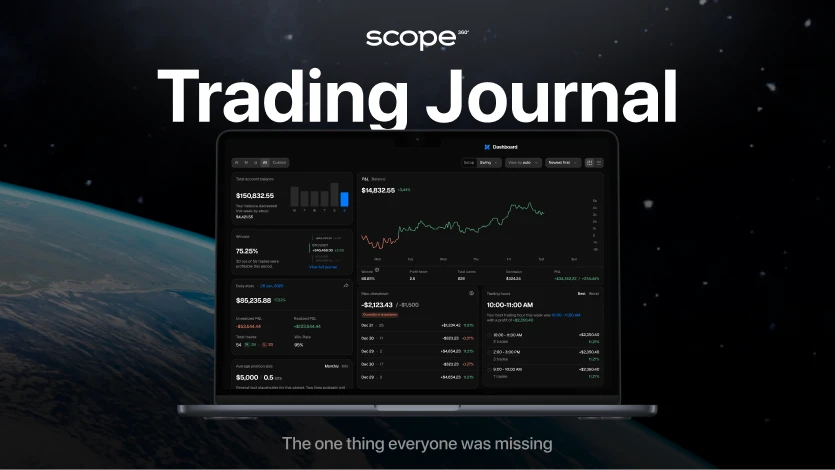
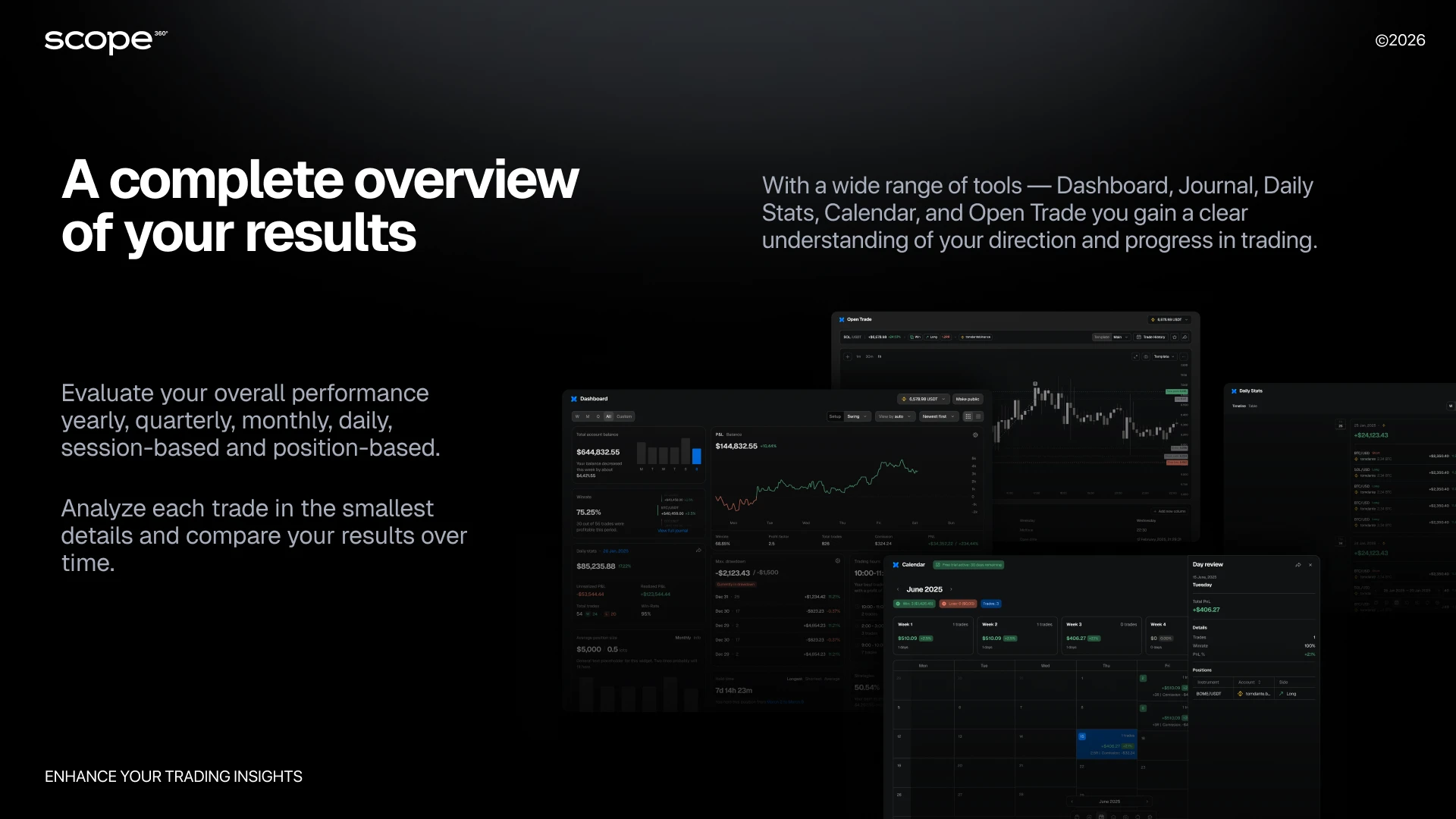
It visualizes your performance, risk, and psychology in one unified dashboard.
Core Features of the Scope360 Platform
We built Scope360° to solve the specific friction points that make traders give up on journaling. Here is how it upgrades your workflow.
Automatic Trade Import via API
Stop typing data manually. Scope360° connects to your accounts using Read-Only API keys.
Why it matters: It saves you hours of tedious work every week. More importantly, it removes human error. You get 100% accurate data, including the hidden costs like funding fees and commissions that spreadsheets often miss.
Dedicated Journals for Futures, Spot and Forex
A futures scalp shouldn't be analyzed the same way as a long-term spot hold. Scope360 provides dedicated environments for each market type.
Why it matters: You get clean, segregated data. You can analyze your "Futures Day Trading" strategy separately from your "Spot Swing" portfolio, giving you a clear picture of where your true edge lies.
Dashboards and Key Metrics
Beyond a simple equity curve, the platform calculates over 50+ professional metrics: Win Rate, Profit Factor, Average R-Multiple, Long/Short Ratio and Drawdown.
Why it matters: It shifts your focus from "How much money did I make?" to "How well did I execute?". You might discover you have a 60% win rate on Longs but only 30% on Shorts — an insight that instantly saves you money.
Daily Stats, Calendar, and Daily Balances
The Trading Calendar offers a heat-map view of your green and red days, while daily stats break down performance by time of day.
Why it matters: This is your "toxic time" detector. You may find that you consistently lose money on Friday afternoons or during the Asian session open. Seeing this pattern allows you to simply stop trading during those windows.
Tags, Notes, and Error Categories
Algorithms track numbers; Scope360° tracks behavior. You can tag trades with emotions (e.g., #FOMO, #Revenge), setup types (e.g., #Breakout), or errors (e.g., #LateEntry).
Why it matters: This connects your psychology to your P&L. You can filter your history to see the exact cost of your emotions: "Show me my P&L for all trades tagged #FOMO." The result is usually the best wake-up call a trader can get.
Multi-Account and Portfolios
Connect your personal Binance account, your Bybit sub-account, and your Prop Firm MetaTrader account into one ecosystem. You can view them individually or create a "Master Portfolio" to see your total net exposure.
Why it matters: You stop logging into five different apps to check your net worth. It’s total clarity in one tab.
Who Is Scope360 For
We designed this platform for traders who are ready to level up.
The Prop & Funded Trader: You are trading other people's money (FTMO, MFF, etc.). You have strict rules about Drawdown and Consistency. Scope360° tracks these limits in real-time, helping you keep your funded status.
The Active Day Trader: You execute 20+ trades a week. Manual logging is physically impossible for you. You need an automated trading journal to keep up with your volume without sacrificing insights.
The Ambitious Beginner: You have a small account but a professional mindset. You want to build the right habits — risk tracking and trade review — from Day 1, rather than unlearning bad habits later.
The Swing Trader: You take fewer trades, but each one requires deep analysis. You use the platform to document your thesis and review your setup accuracy over months.
How Scope360 Fits into a Trader’s Routine
Scope360° isn't a tool you need to stare at all day. It works in the background.
The Setup: Create your account and connect your exchanges via API. (Takes ~5 minutes).
The Auto-Sync: You trade on your terminal as usual. Scope360° imports the data silently.
The Context (1 min): After a session, open the app (Web or Mobile). Your trades are there. Add a tag (#TrendFollow) and an emotion (#Calm).
The Review (15 min): On the weekend, open your Dashboard. Check your weekly Profit Factor. Review the trades tagged #Error.
The Pivot: Use the data to adjust your plan for next week.
Scope360 vs Excel and Simple Trading Logs
Is it worth the switch? Here is the honest comparison.
Feature | Manual Spreadsheet / Excel | Scope360° Platform |
Data Entry | Manual, slow, error-prone | Automatic via API (Zero effort) |
History | Local files, easy to break/lose | Cloud database, secure history |
Analytics | Basic formulas (PnL, Win Rate) | 50+ Auto-metrics (MAE/MFE, R-Factor) |
Psychology | Hard to track consistently | Native Tags, Notes, Emotion tracking |
Multi-Account | Messy tabs and manual merging | Unified Portfolio View |
Time Cost | 2-3 hours/week maintaining sheets | 15 minutes/week reviewing data |
Conclusion
In the modern market, the trader with the best data wins. Scope360 doesn't promise to make you rich overnight. It promises to show you the truth about your trading — where you are making money and exactly where you are giving it back.
It turns the chaos of hundreds of transactions into a clear, navigable map of your performance.
Don't let your next 30 trades be just a memory.
Create your free Scope360 account, connect your first exchange via API, and start building your edge today.
FAQ
Is Scope360 suitable for complete beginners?
Yes. The interface is intuitive and helps beginners establish professional habits (like risk tracking and trade review) from the very beginning, preventing the formation of bad habits.
Can Scope360 replace my Excel trading journal?
Absolutely. It not only replaces spreadsheets but upgrades them by automating data entry, ensuring 100% accuracy, and providing behavioral analytics that are difficult to build manually.
Do I have to enter trades manually in Scope360?
No. The primary method is automatic import via API. However, you can manually add trades if needed (e.g., for offline testing), but the system is designed for automation.
Which markets and platforms does Scope360 support?
Scope360 supports Crypto Futures and Spot (Binance, Bybit, OKX, etc.) and Forex markets (via MetaTrader 4 & 5 integrations).
How does Scope360 help with trading psychology?
By allowing you to tag trades with emotions (e.g., Fear, Greed) and errors. You can then filter your performance by these tags to see exactly how specific emotions impact your P&L.