Looking for a simple way to analyze your Binance trades and identify real points for growth? Scope360° is an automated trading journal that turns your trading history into clear analytics and easy-to-read reports.
Connect your Binance account - and every action, from entry to exit, will appear in your journal automatically. No spreadsheets, no manual input, no missing data. You’ll instantly see:
which instruments perform more consistently,
when your strategy shows the strongest results,
which rules you break most often,
where drawdowns come from and how to avoid them.
Scope360° records every key trade parameter - time, price, instrument, outcome, and market context. Your analysis becomes accurate, calm, and fully data-driven. And automation through the Binance API eliminates errors and saves time: your trades are imported exactly as they were at the moment of execution.
For traders who want to grow and see the true dynamics of their performance, Scope360° is the most effective trading journal for Binance.
How to Connect Your Binance Account to Scope360°
Connecting Binance to Scope360° is a simple bridge between your exchange and your trading journal. You create an API key, confirm it, and Scope360° automatically pulls your trade history. Below is a clear step-by-step guide suitable for any experience level.I’ve marked where each screenshot should be inserted.
Step 1. Log in to your Binance account
Go to the Binance homepage, open your profile menu (top right), and select:
Account → API Management
This is the section where all API keys are created.
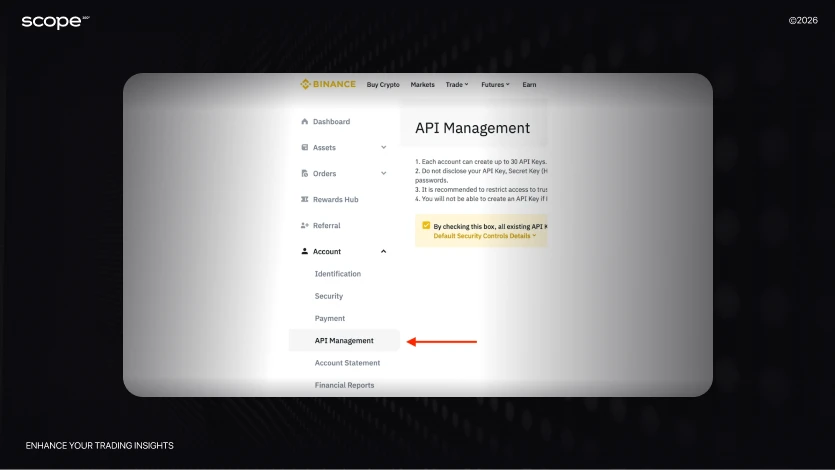
Step 2. Create a new API key
Click Create API. Binance will ask you to name your key - choose anything that helps you recognize it later, for example:
Scope360, Journal, Binance → Scope, etc.
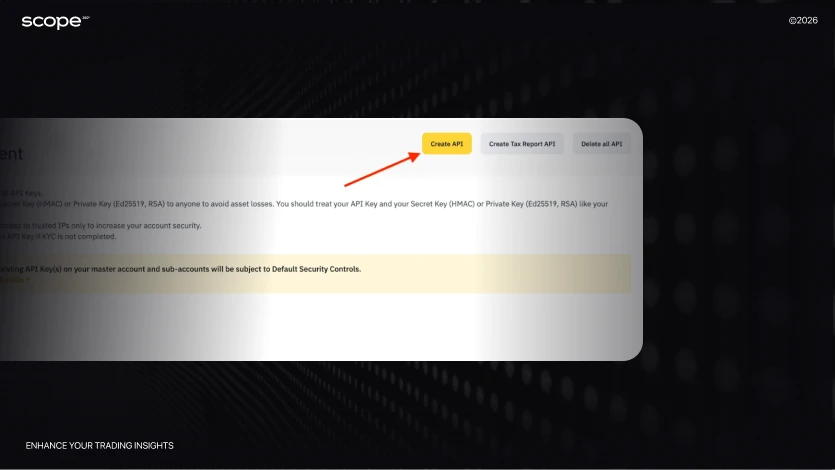
Step 4. Complete the security verification
Binance will send you several confirmation codes:
email
SMS
Google Authenticator
Enter the codes to confirm the creation of the key.
After confirmation, Binance will show two important values:
API Key
Secret Key (visible only once - save it)
You’ll need them in Scope360°.
Connecting the API to Scope360° + Binance
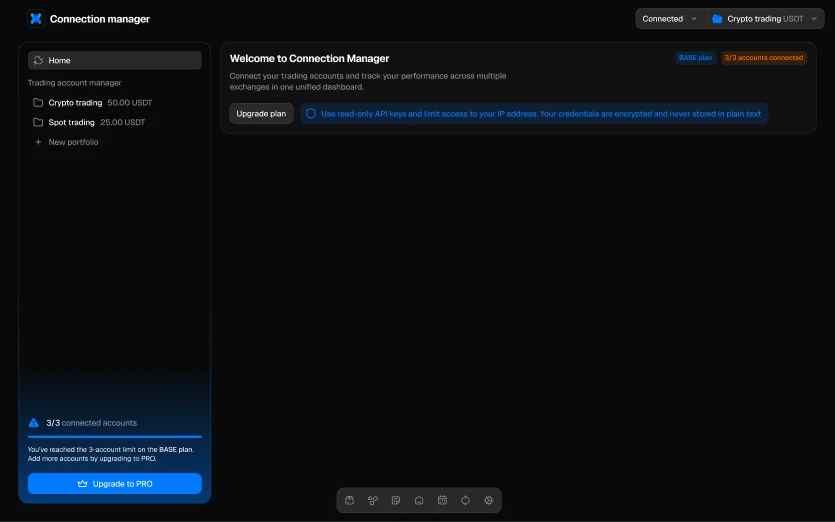
Step 1: Open the account connection sectionIn your Scope360° account, click No API Connection → Connect new → API in the top-right corner. Then select Binance as the data source.
Step 2: Create a clear account nameEnter any convenient name for your trading account - for example, “Binance Main” or “Binance Futures”. This helps you easily distinguish between different connected accounts if you trade across multiple platforms.
Step 3: Enter your keys
API Key - copy it from your Binance API management page.
Secret Key - copy it from the same section.Important: Binance requires both fields to be filled in correctly. The Secret Key is shown only once - if you lose it, you’ll need to create a new one.
Step 4: (Optional) Create a portfolio to group accountsIf you trade with several strategies or manage multiple accounts, use Scope360° portfolios.You can:
Separate long-term investments from active day trading
Track each strategy’s performance independently
View total portfolio results across all accounts
Identify which type of trading delivers the best returns
This feature is optional but highly useful for structured performance analysis.
Step 5: Wait for synchronizationClick Connect API and wait for the synchronization to complete.Depending on your trading history size, the first sync may take up to 15 minutes.After that, updates happen automatically in just a few seconds.
Once completed, your full Binance trade history, open positions, and performance statistics will appear inside Scope360°, ready for detailed analysis.
Why Scope360° Is the Best Choice for Binance Traders
Scope360° is built for traders who want to automate their tracking and get a clear, objective view of their performance on Binance.
What makes Scope360° stand out:
Automatic import via API: Your Binance trades are synced in real time. No spreadsheets, no uploads - every entry, exit, fee, and balance is imported automatically and visualized instantly.
50+ performance metrics: Scope360° measures everything that matters: win rate, drawdown, risk-to-reward, execution quality, and mistake frequency - helping you see what drives your results.
Deep trade context: Each trade includes price, time, volume, instrument, screenshots, tags, and even emotional notes - so you can analyze not just what you did, but why you did it.
Custom dashboards & advanced analytics: Filter trades by strategy, instrument, or session. Build personalized dashboards, track recurring patterns, and identify profitable setups faster than ever.
Weekly & monthly summaries: Get automatic breakdowns of your performance over time - what’s working, what’s not, and where consistency slips.
Trading calendar & daily stats: See your entire trading activity by day, week, or month. Spot overtrading streaks or slow periods at a glance.
Mobile journal app: Track trades and review stats anywhere with the iOS & Android app - your data syncs seamlessly across devices.
Public & private portfolios: Group trades from multiple accounts or challenges and share verified performance with coaches or investors.
Data transparency: Scope360° keeps your Binance history exactly as it is - no reinterpretation, no edits. You work with facts, not assumptions.
Scope360° helps traders go beyond simple record-keeping and identify stable patterns, refine decisions, and build a consistent analytical workflow. With this journal, analysis and control become part of your daily routine.
Scope360° + Binance: Automate Your Trading Insights - Free Trial
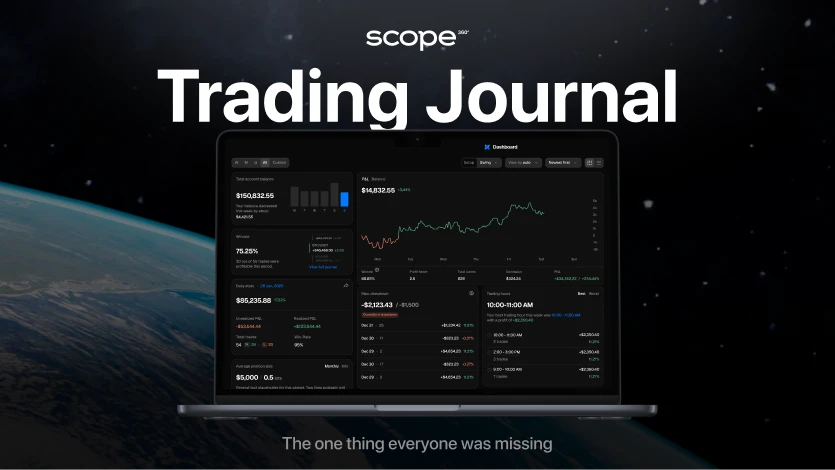
Link Binance to Scope360° in minutes: every trade imports seamlessly, reports build themselves, and analytics become clear and actionable.
Start your free trial now and see real impact on your trading decisions.