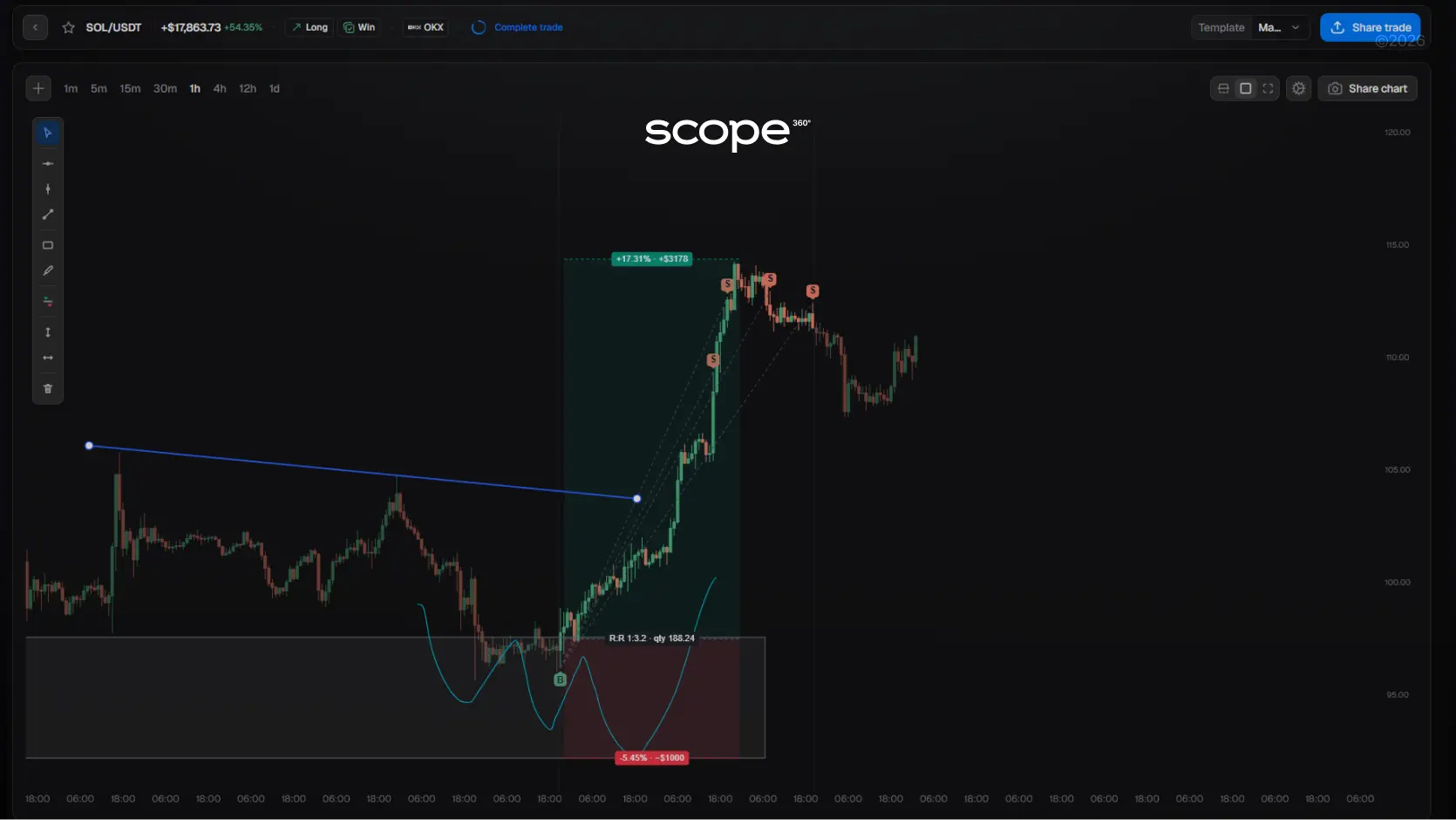
Looking for a reliable way to track, analyze, and improve your Bybit trading performance?Scope360° automatically imports all your Bybit trades and turns them into clean analytics, actionable insights, and data-driven reports - no spreadsheets, no manual uploads, no missed details.
Instant API integration with Bybit: secure read-only connection, instant trade sync, no spreadsheets or uploads.
50+ performance metrics: win rate, drawdown, risk/reward, profit factor, execution quality, mistake frequency.
Full trade context: price, volume, instrument, screenshots, notes, tags — everything in one timeline.
Custom dashboards: filter by strategy, setup, session, or instrument; detect profitable patterns instantly.
Weekly & monthly summaries: automatic breakdowns of best/worst periods and consistency trends.
Trading calendar: visualize daily stats, overtrading streaks, and slow phases.
Mobile journal app: review trades anytime on iOS and Android.
Portfolio & group tracking: combine multiple Bybit accounts or share verified results.
How to Connect Your Bybit Account to Scope360°
Part 1: Creating an API Key on Bybit
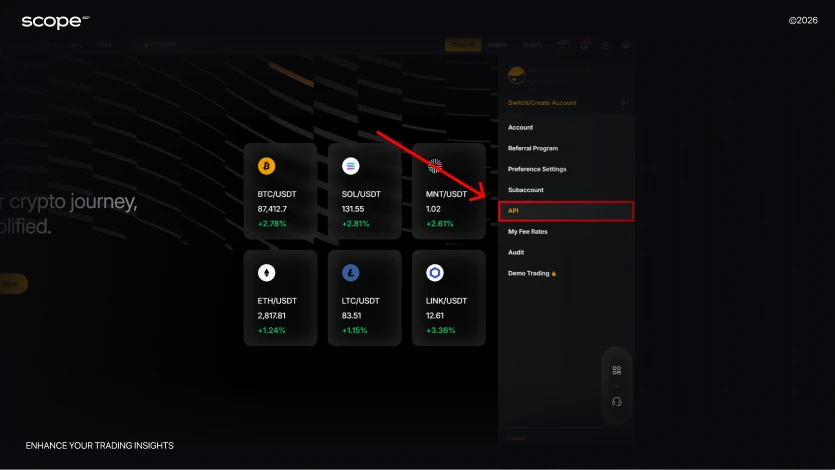
Step 1: Open the API Management menu
Log in to your Bybit account, go to the side navigation panel and select API Management. You’ll see a page with all your connected and available API keys.
Step 2: Start creating a new key
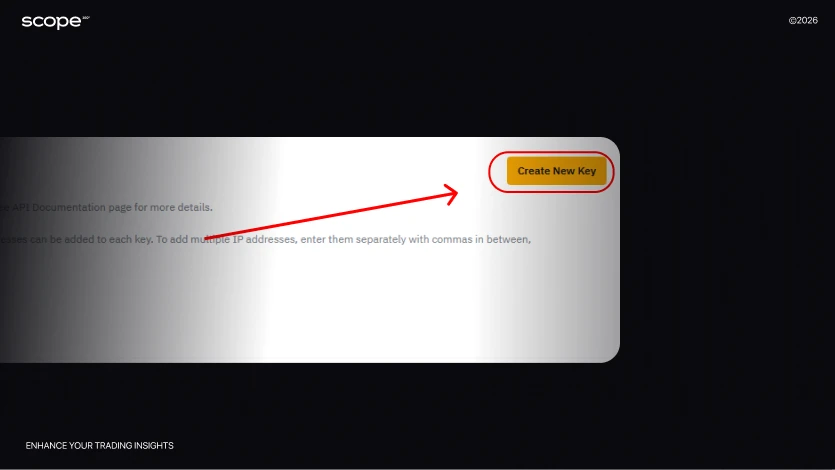
Click Create New Key, then choose System-generated API key.
Step 3: Name your API key
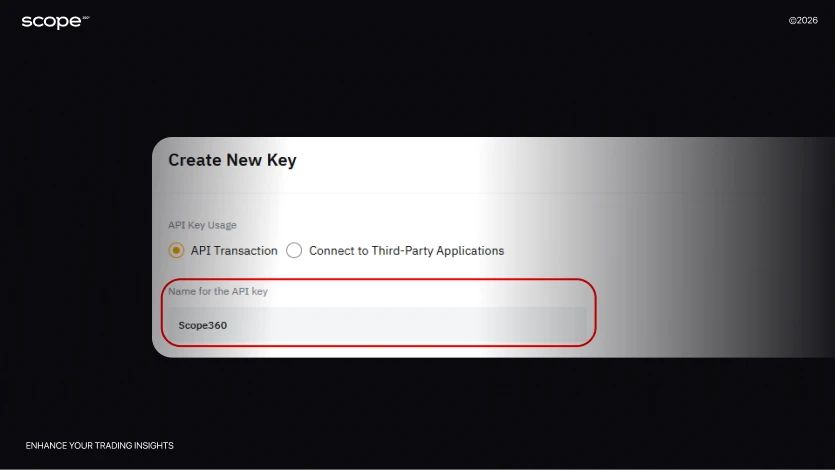
Enter any name that’s convenient for you (for example, Scope360 or Trading Journal). This will help you quickly identify your keys if you create several connections for different purposes in the future.
Step 4: Set the key to Read-Only mode
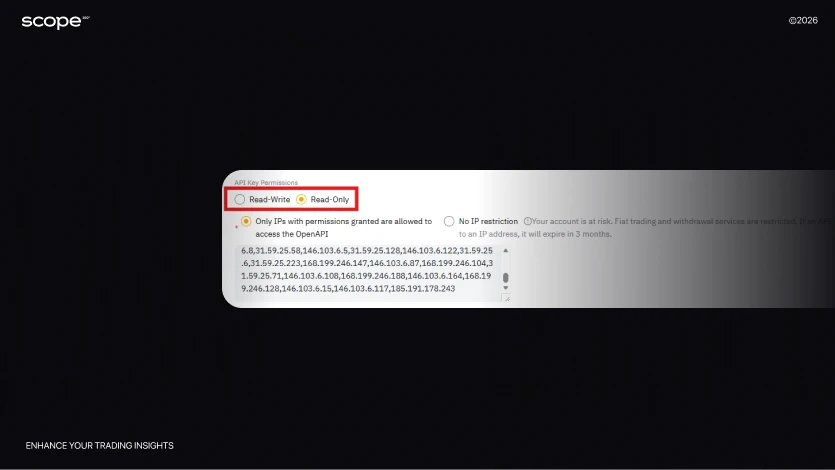
Select Read-Only Permissions - this is a critical step for securing your account.A key in this mode can only read data from your account. It will never be able to:
Open or close trades
Withdraw or deposit funds
Change account settings
Perform any actions with your money
Scope360° uses this data solely for trade analysis and performance statistics.
Step 5: Enable IP restriction
Check the box Only IPs with permissions granted are allowed to access the OpenAPI. This adds an extra layer of protection.
Copy all IP addresses provided in the Scope360° connection instructions.IP restriction ensures that only Scope360° servers can access your key. Any request coming from a different IP address will be blocked.
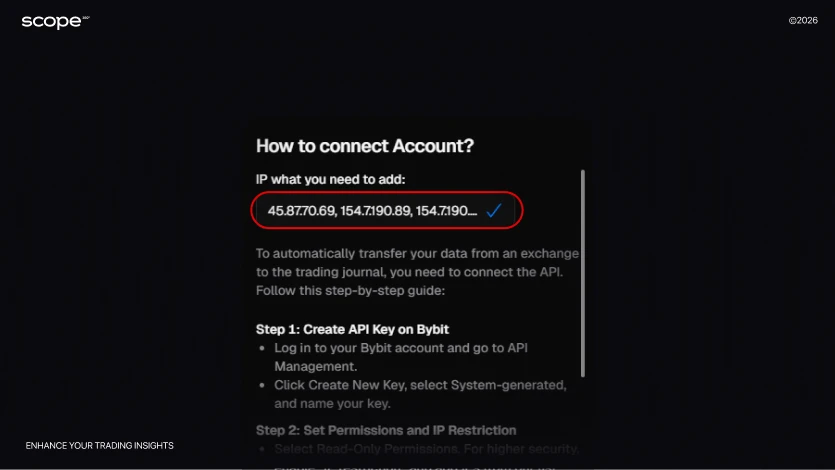
Step 6: Select the required data permissions
In the Unified Trading and Assets sections, enable all available read permissions.This allows the platform to retrieve complete information about:
Active positions and closed trade history
Position size, entry and exit points
Portfolio balance and asset values
Deposit and withdrawal history
Fees and commissions
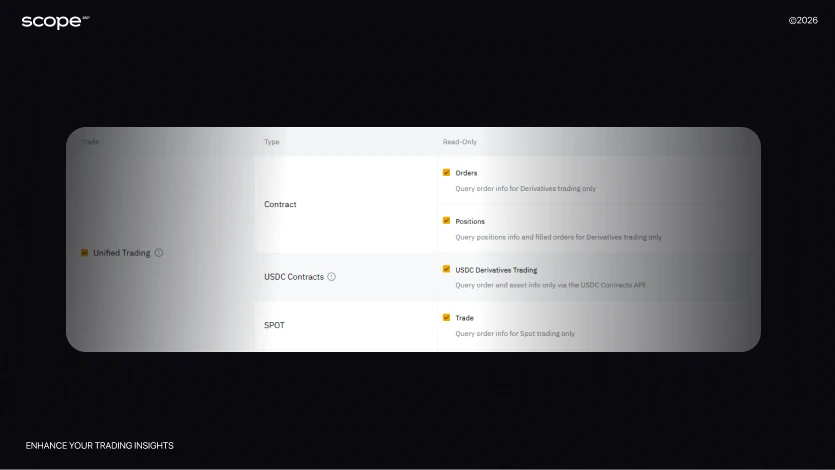
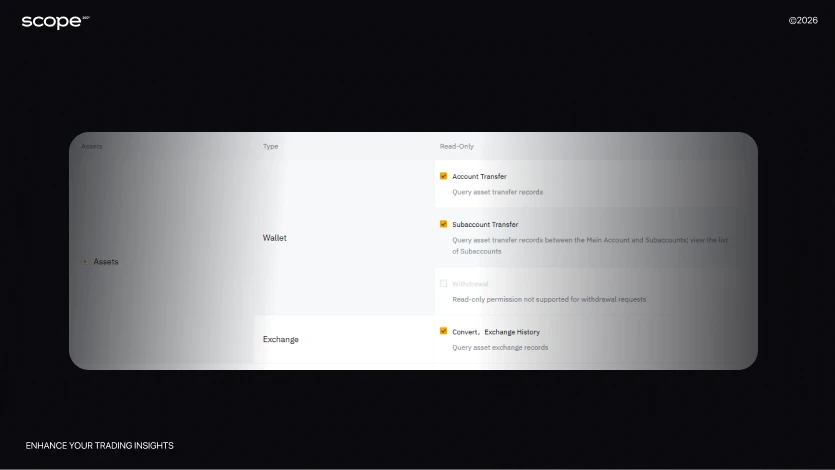
All of this is necessary for accurate trade statistics, win rate calculations and other performance metrics.
Step 7: Finalize key creation
Click Submit and complete the verification process (usually via email code or 2FA). After that, Bybit will generate:
API Key - the public identifier
Secret Key - the private key used to validate requests
Important: Store both keys securely (password manager or protected file).The Secret Key is shown only once - if you lose it, you’ll need to create a new API key.
Part 2: Connecting the API to Scope360°
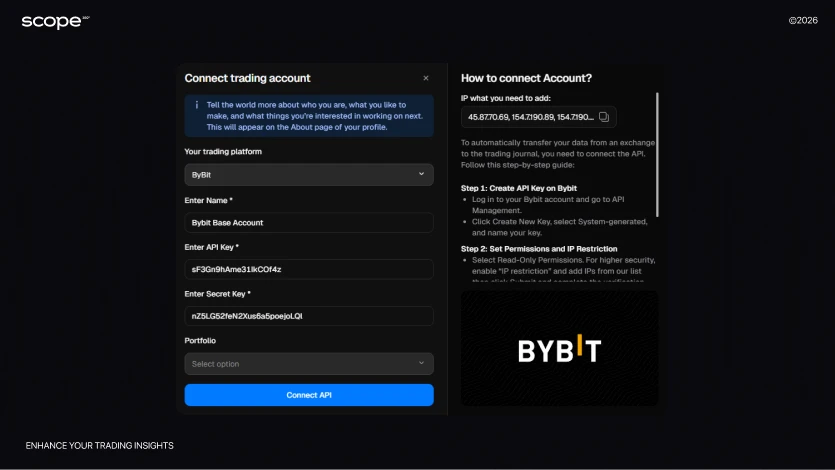
Step 1: Open the account connection section
In Scope360°, click No API Connection → Connect new → API in the top-right corner.
Then select Bybit as the data source.
Step 2: Create a clear account name
Enter any name for your trading account.
This is especially useful if you plan to connect several accounts and analyze each type of trading separately.
Step 3: Add your API Key
Paste the API Key you received from Bybit.
Make sure there are no extra spaces or characters - even a small typo can block the connection.
Step 4: Add your Secret Key
Enter the Secret Key.We strongly recommend storing both keys (API Key and Secret Key) in a secure place.
If you lose your Secret Key, it cannot be recovered. You’ll have to create a new API key on Bybit and reconnect your account to Scope360°.
Step 5: (Optional) Create a portfolio to group accounts
If you have multiple trading accounts with different goals, use the portfolio feature in Scope360°. You can:
Separate investment accounts from short-term trading accounts
Track statistics for each category independently
View the overall performance of your entire portfolio
Analyze which trading directions generate the most profit
This feature is optional but very helpful for traders who use multiple strategies or trade across different instruments.
Step 6: Wait for synchronization
Click Connect API and wait for the sync to complete.Depending on your trading history, this may take:
From a few minutes up to 15 minutes
Once syncing is complete, all your data will be imported and ready for analysis. You’ll see your full trade history, statistics and performance charts.
Why Scope360° Is the Best Choice for Bybit Traders
Scope360° is designed for traders who want to automate tracking, simplify analytics, and clearly see how their trading decisions perform on Bybit.
What makes Scope360° stand out
Automatic import via API: Your Bybit trades sync instantly through a secure read-only API. No spreadsheets, no uploads - every entry, exit, position size, and fee is imported automatically and displayed in your dashboard.
50+ performance metrics: Scope360° measures what really matters: win rate, drawdown, risk-to-reward, profit factor, execution quality, and even mistake frequency - helping you understand the real drivers of your results.
Deep trade context: Every trade in Scope360° carries full context: price, time, volume, instrument, screenshots, notes, and tags. You can see not just the outcome - but your entire decision process behind each move.
Custom dashboards & advanced analytics: Filter trades by strategy, instrument, session, or setup. Build personalized dashboards, spot recurring patterns, and identify your most profitable market conditions faster than ever.
Weekly & monthly summaries: Automatic breakdowns reveal your best and worst periods, highlight trends in consistency, and show where your discipline drops - no manual analysis needed.
Trading calendar & daily stats: View your performance across days, weeks, and months. Detect overtrading streaks or slow periods instantly and adjust your approach accordingly.
Mobile journal app: Track your trades and review performance anytime, anywhere. The Scope360° app for iOS and Android syncs seamlessly with your desktop account.
Portfolios & group tracking: Combine trades from multiple Bybit accounts or challenges. Keep public and private portfolios, share verified performance with coaches or investors, and stay fully transparent.
Scope360° + Bybit: Automate Your Trading Insights - Free Trial
Connect your Bybit account to Scope360° in just a few minutes. Every trade imports seamlessly, reports generate automatically, and analytics become clear, actionable, and deeply personalized.
Start your free trial now - and trade with the confidence that comes from knowing your data.