In the era of digital markets and fierce competition, trading has become an art of systematic analysis and discipline. Every successful trader knows that without clear statistics, objective analytics, and work on mistakes, it is impossible to achieve stable profits or professional growth.
Scope360 is the very foundation that transforms ordinary trading into a systematic process, allowing you to see the big picture of your successes, discipline, and progress in detail.
Why a trading journal is a trader's basic tool
Nine out of ten traders lose their deposits for one simple reason - lack of discipline, analytics, and objective data. The main mistake most traders make is ignoring structured trade tracking and relying on “market intuition.”
In reality, only consistent tracking of trades, emotions, mistakes and strategies provides true control over trading performance.
Scope360 trading journal allows you to:
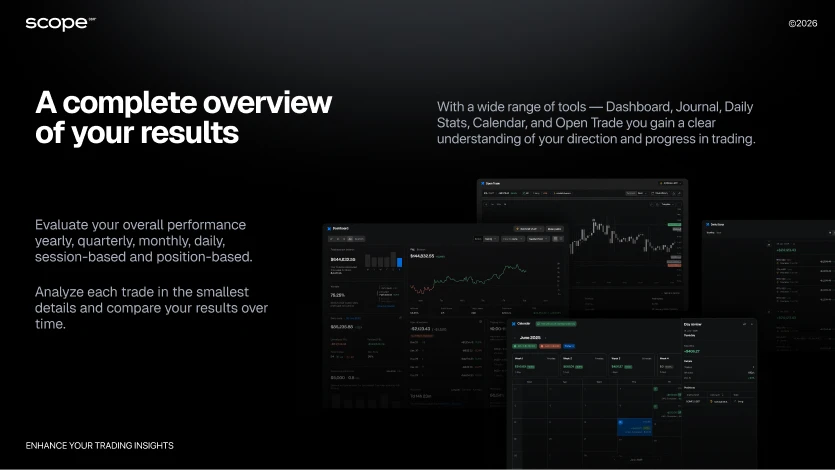
Track all your trades in one place - PnL, win rate, drawdown depth, equity dynamics
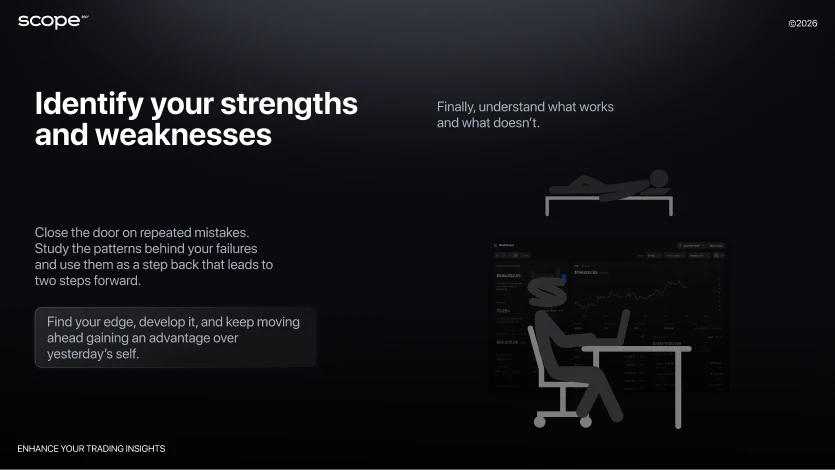
Detect repeated mistakes and psychological traps
Build transparent statistics instead of messy notes or outdated Excel sheets
Automatically collect, visualize and interpret trading data - saving hours of manual work
Today, a static journal or notes in Notion are not enough. A professional trader needs a dynamic tool with integrations, automatic reports and advanced filters.
What is Scope360?
Scope360 is a next-generation cloud-based trading journal designed specifically for traders who need a single tool for systematic analysis, accounting and management of their trades. Unlike simple journals or spreadsheets, Scope360 combines automatic trade recording (via API and imports), powerful analytics, and behavioral monitoring to help you quickly identify strengths, weaknesses, mistakes and opportunities for growth.
The platform is built for real market conditions:
Full support for crypto, forex, stocks, and derivative instruments
Integrations with leading exchanges like Binance, Bybit, OKX and others - everything is under control in just one click
The difference from basic trade trackers is clear: Scope360 does not simply record trades - it turns data into actionable insight. The platform automates trade import, builds smart performance reports, calculates key trading metrics, identifies behavioral patterns and helps traders make objective decisions based on statistics rather than emotions.
Platform Features of Scope360
Scope360 is a unified ecosystem for tracking, analysis, and improvement of trading results - built for awareness, discipline and growth.
1. Automated Trade Logging and Multi-Account Support
Direct integration with exchanges and brokers via API; optional trade upload via CSV.
Supports multiple accounts, exchanges and asset classes - from crypto to forex and futures.
Each trade is logged automatically with complete details: asset, timing, position size, fees, PnL, and partial closes.
Manual entry mode available for traders who prefer to record trades by hand.
2. Advanced Trading and Behavioral Analytics
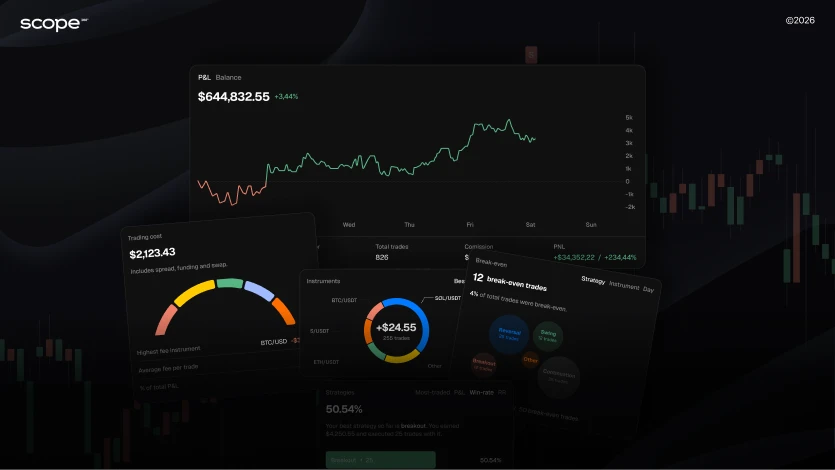
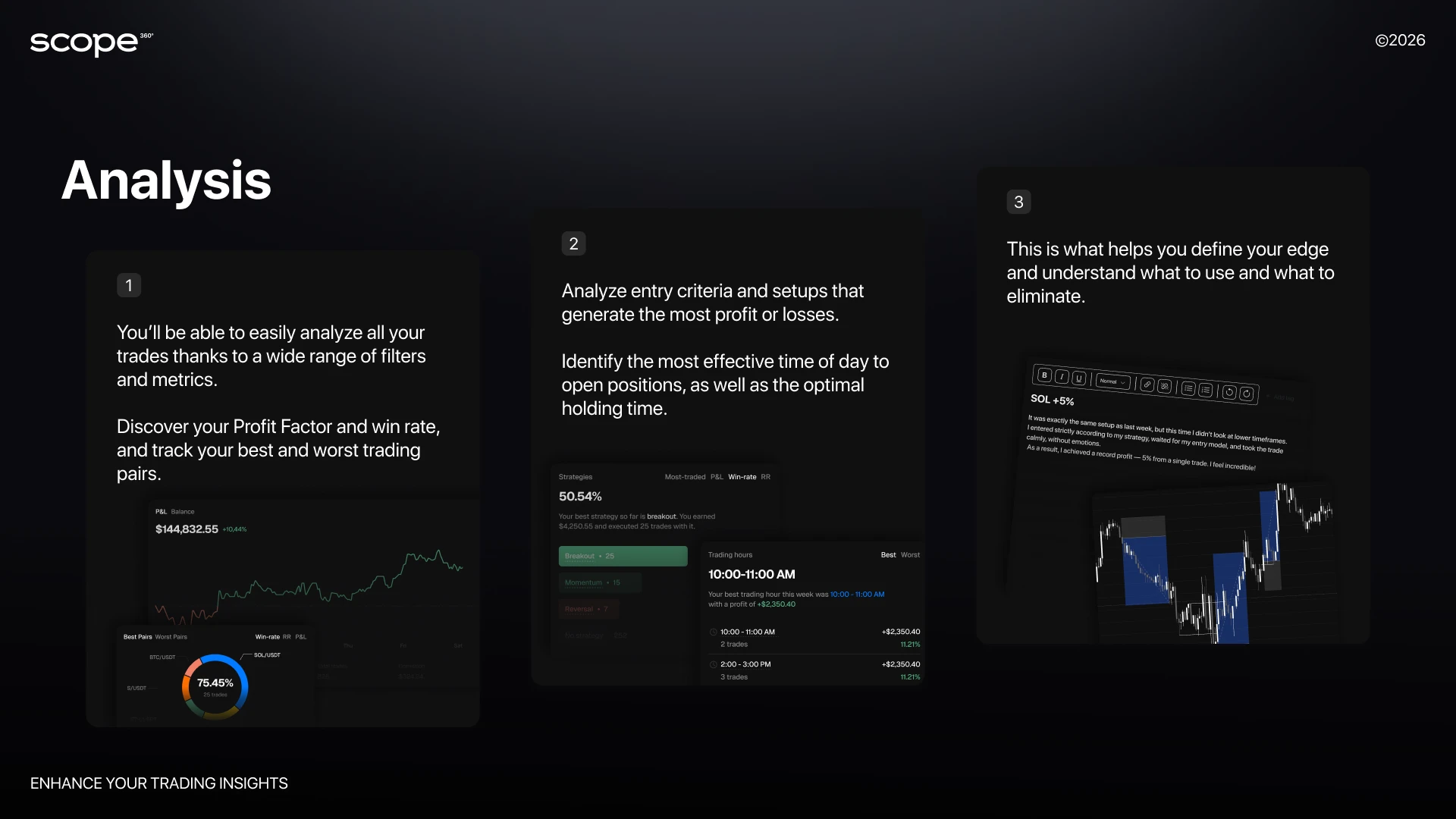
The platform calculates and visualizes over 50 metrics per trade: Win Rate, PnL, MAE/MFE, expectancy, and more.
Reports can be generated for any period - day, week, month, or custom range.
The Emotions & Errors section helps identify psychological patterns: which states lead to revenge trades, impulsive actions, or deviations from plan.
3. Professional Risk Management Tools
Currently supports Max Drawdown limits to track and control capital exposure.
Risk violations are logged automatically, ensuring transparent discipline tracking.
4. Visualization and Reporting
Clear visual charts for balance dynamics, position structure, strategy performance, and seasonal results.
One-click export for mentors, trading groups, or personal analysis - available in common formats.
5. Flexible Tagging and Strategy Templates
Create custom analysis templates (e.g. “morning volatility,” “scalping,” “emotional entry”).
Tag trades by instrument, session, setup, or emotional context for deeper pattern recognition.
6. Trade History, Share Cards & Multi-Portfolio Management
Full history of trades available for review and filtering by strategy, instrument, or date.
Share Cards let you present positional or daily results in a clean, verifiable format.
Manage multiple portfolios or accounts in one workspace - with combined or separate analytics views.
7. Universal Access and Cloud Storage
Available for iOS, Android, and Web - your data is always synchronized and protected.
Cloud storage eliminates the risk of data loss; your analytics remain accessible anywhere.
How to Start with Scope360: Step-by-Step Guide
Getting started with Scope360 is as easy as opening a trading terminal or signing up on an exchange. The journaling service is intuitive, prioritizes the security of your data, and allows you to fully launch your trading journal in 10–15 minutes, even with no experience in fin-tech services.
Step 1. Account Registration
Download the Scope360 app for iOS or Android, or open the Web version on your computer. Quick registration via email takes less than a minute. Make sure to activate two-factor authentication. Your trading data and personal statistics will be completely secure, regardless of device or region.
Step 2. Connecting Exchange/Broker
In the Integrations section (or “API Manager”), choose your trading platform. A wide range is available: Binance, Bybit, OKX, MetaTrader 4/5, and more. Create a read-only API key with your broker (read-only access only, with no risk to your funds) and add it to Scope360. If you trade on multiple exchanges or have several accounts, repeat the procedure. Multi-account support is enabled right out of the box.
Step 3. Importing Trade History
Scope360 will automatically pull all current positions, balances, commissions, swaps. For migrating from other journals, you can easily upload an archive of trades in CSV format with a single click. Check that you’ve set the correct time zones and base currency so your analytics will always be accurate and comparable.
Step 4. Creating Portfolios and Trade Groups
Use the Portfolio Manager to create and combine multiple trading accounts - for example, personal, challenge, or demo.You can merge data from different exchanges into one unified dashboard or keep them separate for independent tracking.All trades, balances, and statistics automatically synchronize across your connected accounts, giving you a full performance overview in one place.
Step 5. Interface Setup and Custom Views
Customize Scope360 to fit your workflow. Adjust dashboard layouts, switch between light and dark themes, and choose which widgets or metrics to display first.Set up personalized filters by asset type, session, or strategy - and save your favorite views for quick access.
Why is it important to establish structure and maintain order from day one?
Unified statistics: when all trades and tags are logged according to standards, any analytics are transparent and useful for making decisions.
Real-time feedback: you immediately see what influences the final result - strategy, emotion, or time factor.
Built-in self-control: limits, tags, and reminders form the habit of not pushing the market, but preserving capital and managing decisions.
Synchronization for growth: filters, templates, and goals stay effective even as your trading volume expands or you add new exchanges.
Your task at the start is to connect all active accounts, set clear risk and limit rules, and begin to log every trade with discipline. Scope360 handles the automatic routines so you can spend time on analysis, experience, and building your own trading history.
Conclusion
Modern trading has long moved beyond simple transactions and spontaneous decisions. Today, results are determined not by emotions, but by process: clear rules, working with data, and a systematic approach. This is what distinguishes a consistently profitable trader from one who keeps losing their deposit.
Scope360 is designed as a next-generation tool - not just a trade journal, but a complete working environment for trader development.
Connect your exchange or broker, upload your trading history, and you will quickly see trading gain structure and transparency.
Take the next step toward professional trading - start with Scope360.