If you end your trading week spending hours copying data from CSV files into endless Google Sheets or Excel spreadsheets, we have two pieces of news for you. The bad news: you are doing "secretarial work" that algorithms should have been doing years ago. The good news: since you are reading this article, you have already outgrown the level of chaotic trades and are looking for a systematic solution.
The time spent fixing VLOOKUP formulas and color-coding cells is better invested in backtesting, analyzing errors, or simply resting to avoid tilt. In this article, we will analyze in detail why manual spreadsheets are slowing down your progress and how the Scope360° automated journal turns dry numbers into a strategic advantage.
Why Do Traders Still Choose Excel?
Let's be honest: Excel (and Google Sheets) is a magnificent tool. 99% of traders start with it, and that is normal.
The pros of Excel are obvious:
Price: It’s free (or almost free).
Flexibility: You can build any chart if you know how to write macros.
Habit: "I control every digit myself."
However, Excel was created for accountants, not for traders. It is a static tool. It records the past but struggles to help model the future, especially when your data volume grows.
The Main Limitations of Excel as a Trading Journal
As soon as you go beyond 10 trades a week, start trading on multiple exchanges (e.g., Binance Futures + Bybit Spot), or take on a challenge in a prop firm, Excel turns into a "bottleneck".
1. Manual Entry - A Killer of Time and Accuracy
Human error is inevitable. A typo in the entry price by a tenth of a percent distorts your final PnL for the month. You spend 30–90 minutes a week just entering data. This is a time when you are not trading and not learning.
2. Lack of Context ("Dead Numbers")
A spreadsheet will show you a loss of $500, but it won't tell you why it happened.
Was it a technical stop?
The impact of news?
Emotional entry (FOMO)?In Excel, it is difficult to tag trades and even harder to filter them later by these tags to find patterns.
3. Risk Blind Spots
Excel won't send you a notification if you exceed your Daily Drawdown limit. You only find out about the drain after the fact, when you close the terminal. In the volatile market of 2026, the absence of alerts is costly.
What Does the Scope360° Platform Change?
Scope360° is not just a pretty replacement for tables. It is a transition from "accounting" to "analytics". We remove the routine so you can focus on decision-making.
Automatic Import via API
Forget about manual entry. Scope360° connects to exchanges (Binance, Bybit, and soon BingX, cTrader, DxTrader) via secure API keys.
Security: We use only Read-Only access.
Speed: Trades appear in the journal instantly.
Accuracy: 100% match with exchange data.
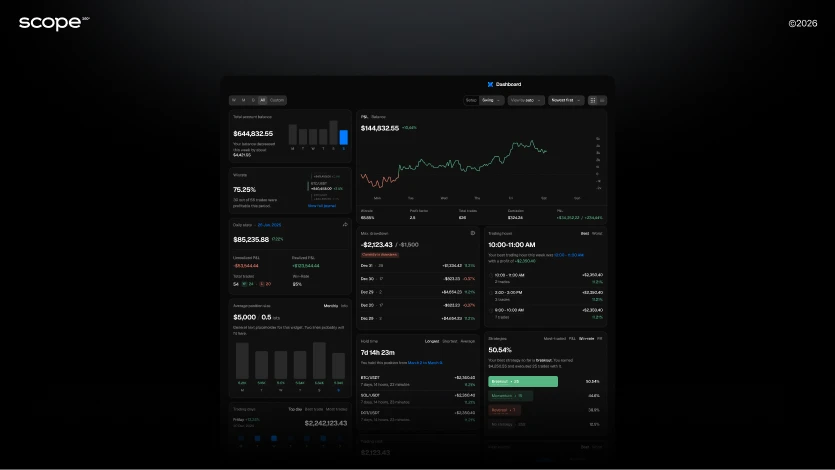
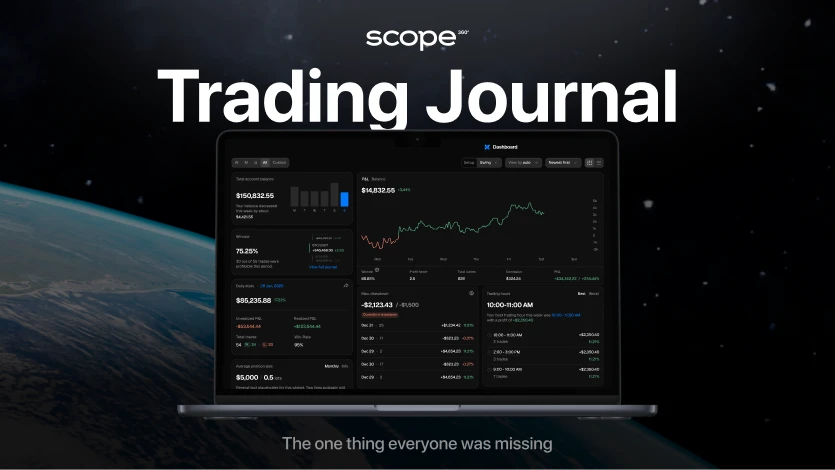
Professional Dashboards "Out of the Box"
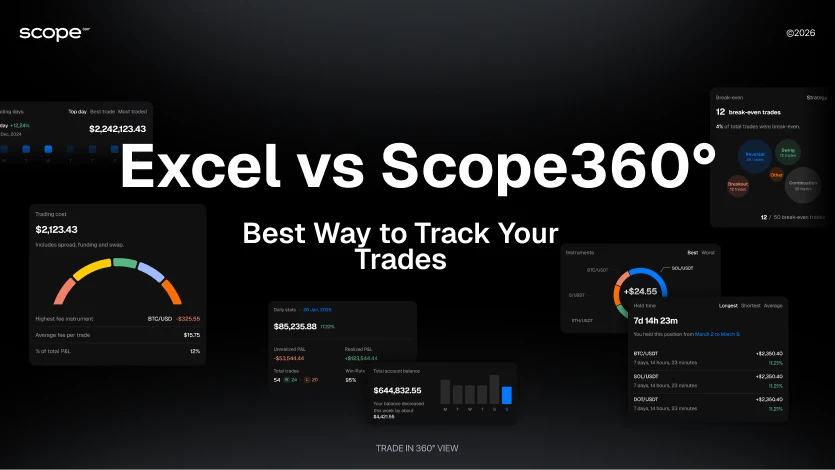
You don't need to configure formulas. You immediately see:
Cumulative PnL & Daily PnL: Real deposit dynamics.
Winrate & Profit Factor: Key performance metrics.
Calendar: Visualization of profitable and losing days.
Long/Short Ratio: Understanding which side of the market brings you money.
Comparison: Excel vs. Scope360°
Let's compare the classic approach and modern automation by key criteria.
Criterion | Trading Journal in Excel | Scope360° Platform |
Data Collection | Manual and slow. High risk of typos and data loss. | Automatic (API). Synchronization with exchanges and MT4/MT5. 0 minutes of manual labor. |
Analytics | Basic. Breaks when adding new columns. | Deep. PnL, MAE/MFE, Winrate, analysis by sessions and instruments. |
Trade History | Local file. Easy to accidentally delete. | Cloud Database. We store history for 2+ years, even if the exchange deletes it. |
Psychology | Difficult to track emotions. | Behavioral Analysis. Filters by tags (FOMO, Tilt, Revenge). You see the price of each emotion. |
Scalability | Difficult to add a new account or market. | Multi-account. A single portfolio for Spot, Futures, and Forex. |
Mobility | Inconvenient on mobile. | Responsive Web UI. Analytics available from any smartphone 24/7. |
Real Scenarios: When Is It Time to Leave Excel?
Scenario 1: The Newbie (Excel is still OK)
You make 3–5 trades a week on a single BTC/USDT pair. You have plenty of time, and filling out the table helps with discipline.
Verdict: You can stay in Excel, but Scope360° (especially the free plan) will already save you time.
Scenario 2: Active Day Trader (Need Scope360°)
You trade intraday, 20+ trades a week. You use scalping or Smart Money concepts. By Friday, you are so tired that you skip the journal.
Verdict: Excel is slowing you down. You need automation to see statistics in real-time and adjust your strategy on the fly.
Scenario 3: Prop Trader / Systematic Approach (Scope360° Only)
You manage capital or are passing a funded challenge. It is critical for you to monitor Drawdown and Winrate to avoid losing the account.
Verdict: Excel is dangerous. The lack of real-time risk management can lead to liquidation.
How Scope360° Helps Implement a Journal in Practice
Switching to professional software takes less time than creating a new tab in Google Sheets. Here is your action plan:
Registration: Create an account at Scope360°. It takes 1 minute.
API Connection: Generate an API key on your exchange (be sure to select Read-Only - without trading or withdrawal rights) and paste it into Scope360°.
History Import: The system will automatically pull your trades for past periods.
Analysis:
Go to the Dashboard and look at your real Winrate.
Open the Calendar to see which days of the week you trade best.
Use tags for new trades to track errors.
The Future of Scope360°: More Than Just a Journal
We are building an ecosystem for traders. Excel stayed in 2010; we are going into 2026 and beyond.
Unified Scope Journal: A single feed of operations. Spot, Futures, Forex - all in one list.
AI Assistant (soon): Upload screenshots of charts, and our AI will recognize the setup and fill in comments for the trade itself.
New Integrations: Support for BingX, cTrader, DxTrader is on the way.
Spot Terminal: Trading and analytics in one window.
Conclusion
Excel is a great training ground for starting out. It teaches basic responsibility. But if you want to scale your trading, remove chaos, and rely on solid data, you need a professional tool.
Scope360° solves the trader's main pain points:
Systematization without routine.
Risk control.
Analytics that highlight growth points.
Stop working as a secretary for your trades. Start managing them like a CEO.
Try Scope360° for free and see your real statistics right now
Frequently Asked Questions
Can I transfer trade history from Excel to Scope360°?
Scope360° focuses on automatic data import directly from exchanges via API. This ensures 100% data accuracy without manual entry errors. When connected, we download your trading history for a long period.
Is it safe to use API keys?
Absolutely. We require API keys to be created with "Read-Only" permissions only. Scope360° technically cannot open orders or withdraw funds from your account.
Is Scope360° suitable for a beginner with a small deposit?
Yes. Using a professional journal from the very beginning forms the right habits and discipline. In addition, we are introducing a Free Basic Plan, which is perfect for starting out.
Which markets does the platform support?
We support crypto futures and spot (Binance, Bybit, etc.), as well as the Forex market (via integration with MetaTrader 4/5). In the near future, we plan to add cTrader and DxTrader.
Ready to upgrade your trading journal?
Start using Scope360° - and trade like you mean it.